Approving or Rejecting Leave
When an applicant applies for a leave, an email containing a direct link to the leave application is sent to the immediate Head or Supervisor. If there is a need for another level of approval the system will send an email to the next approver in line.
In order to approve a leave:
- Click or tap on View Details button in the email.
If an approver are not logged in, he/she will be prompted to do so. Follow the login procedure to log in.
- The link will redirect the approver to the leave details of the applicant.
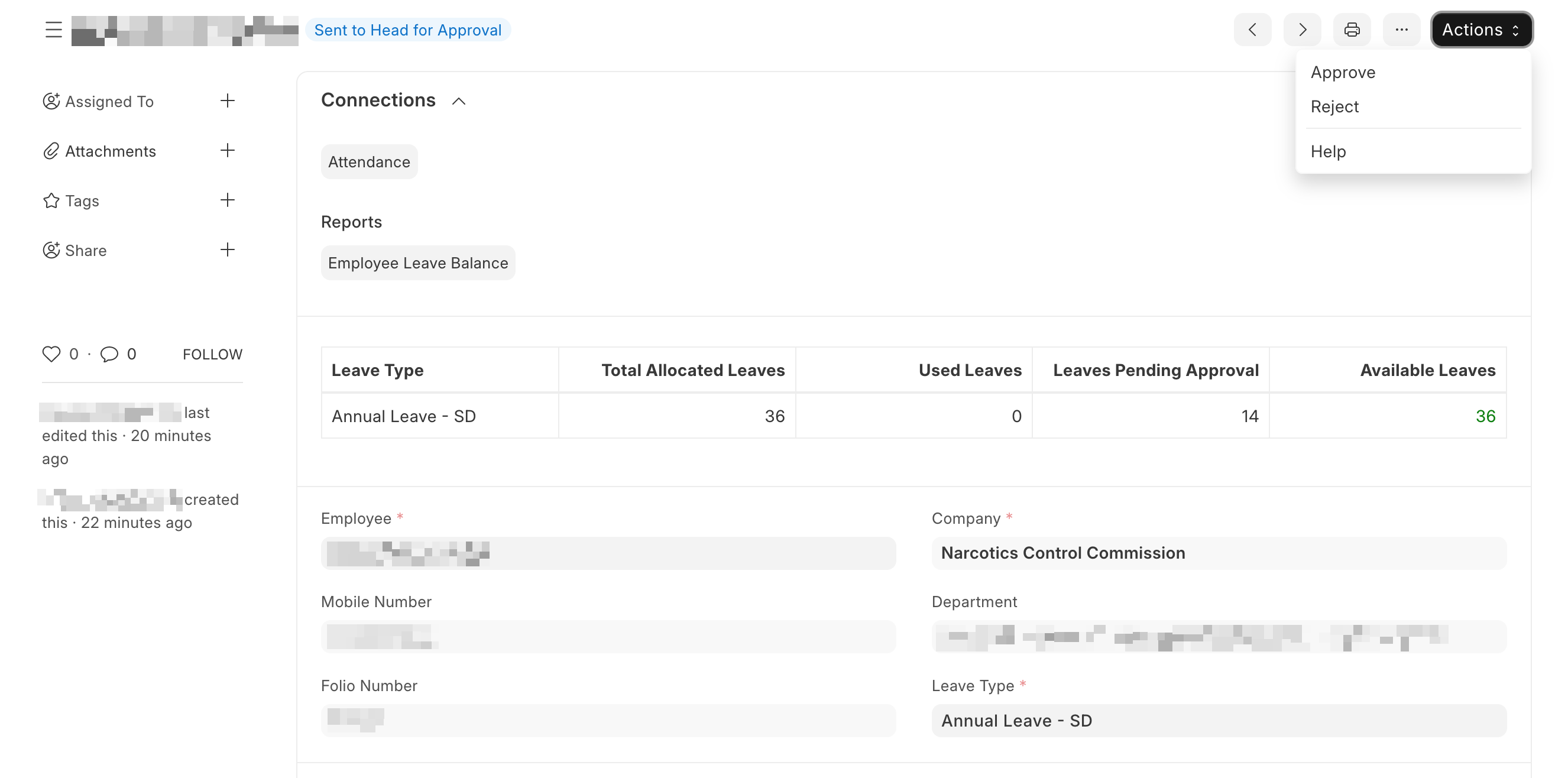
- To Approve or Reject a leave application, click on Actions, from the drop-down, click or tap on Approve or Reject.
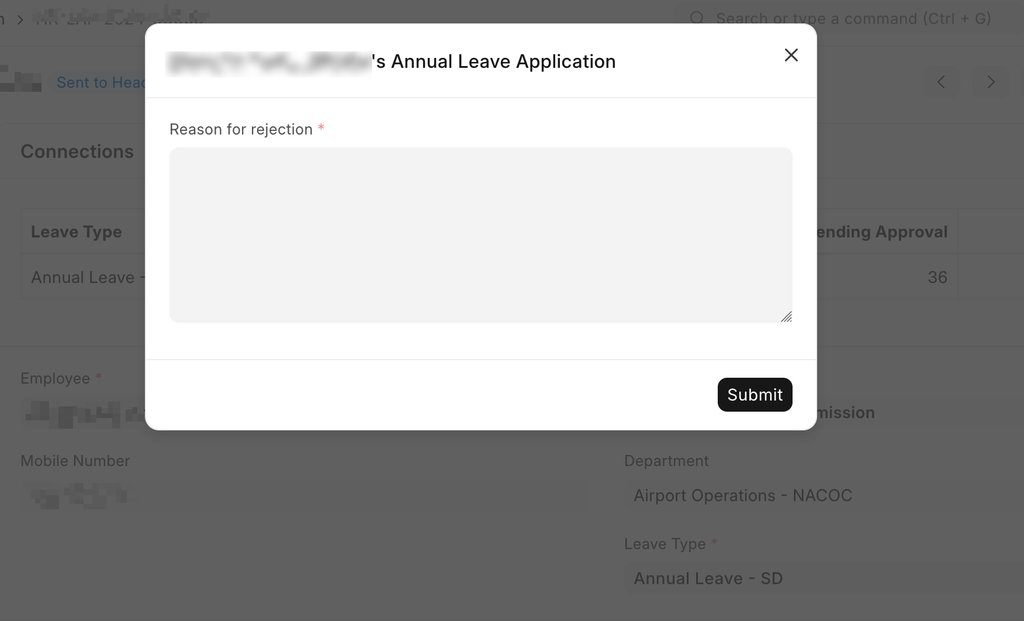
If a leave is rejected, the approver will have to provide a reason for rejecting the leave.